Posts

Showing posts with the label SEO

6 Simple Steps To Optimize On-Page and Off-Page SEO
Image
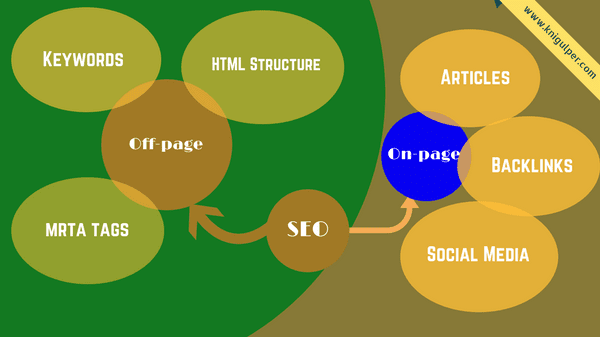
Onpage and Offpage SEO Techniques - Do you know what is the dream of a blogger and a website owner? Yes, it is making money with blogs. But one question that always confuses us is how to lure search engines to get our blogs appear on the top of search result pages. To win the search engines, we need to apply the SEO fundamentals on our blogs. Check out: How To Get Your Blogs Appear In Featured Snippets For our blogs to be successful, we need massive traffic and loyal visitors actively. Whether we sell products or offer services, we need mastery SEO tactics to optimize the websites so that it gets the maximum targeted traffic from the search engines but getting it right could be a difficult task. So how does it work? In practical terms, we need two basic types of SEO these are on-page and off-page. On-page refers to the way we organize our web pages with regards to our keywords and keyword density. The terms we put in different web pages, and the names we give to our inbound links sho...
4 Simple Ways To Get Featured Snippets For Your Blogs

Image
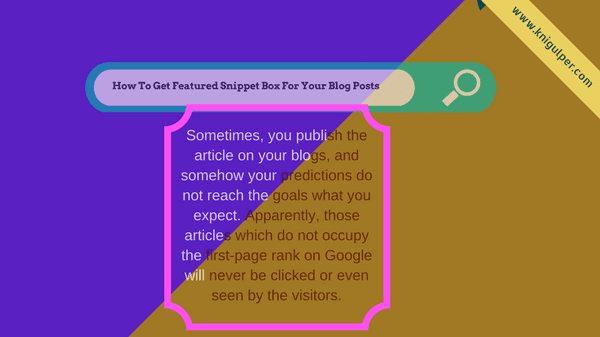
How to Get Google's Quick Answer Box For Your Blogs and Sites - As a beginner, I always use only simple SEO techniques to strengthen and improve the SERPs for my blog posts on search engines like Google, Bing, and Yahoo. Since the past, you might have heard a lot about SERP (Search Engine Result Page), which is programmatically displayed by a web search engine in the form of search results while we search something using search engines. Sometimes, you publish the article on your blogs, and somehow your predictions do not reach the goals what you expect. Apparently, those articles which do not occupy the first-page rank on Google will never be clicked or even seen by the visitors. A searcher usually goes through first 1-4 search results. Pay Attention:   Tips To Increase Your Blog Visitors Although you have applied SEO techniques such as keyword research, placing primary keywords in titles and throughout articles or any technique that is related to on-page and off-page SEO. It look...

6 Powerful Tips On SEO For Tumblr Blogs

Image
Tumblr Search Engine Optimization Tips - When it comes to Search Engine Optimization (SEO), Tumblr is not much a leading blogging platform. But nevertheless, we can optimize the Tumblr blog for better SEO with few simple methods. As a popular blogging platform, we can edit Tumblr themes or its HTML source code. This is how you can apply SEO techniques on Tumblr blogs that is by adding/changing the theme code of this popular blogging platform. Check out: How To Increase Your Blog Visitors If you apply these tips and tricks on your blog, I bet you will see a great improvement in your blog traffic and it will make your Tumblr blogs more SEO friendly for Google, Bing, and Yahoo. So, waiting for what? Just check out the following SEO tips and tricks: 1. Changing Blog Title With Post Title The Tumblr posts are divided into several types, namely text, photo, quote, chat, link, audio, and video. Not all posts provide a title column. So, if the permalink is opened that appears in the br...

How To Increase Your Blog Visitors With Few Tips & Tweaks

Image
How to Attract The Readers to Your Blogs - You may have a lot of knowledge about how to increase your blog visitors because this topic has already been raised on other blogs. But today, I am going to peel it for you with a slightly different version. Check out: Role of Social Media In Driving Blog Traffic I am going to share this trick for those who want to increase the number of visitors or guests for their blogs especially for beginners who do not have any idea about the art of SEO including me. The common mistake of the newbie bloggers is to target the articles that they optimize only for search engines. They think that one day their articles will gain the top positions on search engines and they always wait for that time. But by building the castles in the sky, the endless hand steers the mouse to their blog's refresh button and hopes that Google is kind enough to reward visitors for their blogs. If this stigma has been ingrained in your minds, then I suggest you change ...

How to Optimize Keywords Throughout Your Contents

Image
How to Use Keywords to Write SEO Friendly Articles - The techniques that I am going to explore will increase your content visibility without a headache. So, are you ready to gain the first 3 positions on search engines? Yes! If this is your dream then don't just focus on one keyword. Then what should you need to focus on? In my previous post, I revealed " how to write keyword-rich contents to increase your blog traffic " in which I showed you how to use keywords in your contents to give a boost to your blog traffic. But today, I will show you useful tips to increase the SERP for your articles that you publish on your blogs. Writing SEO friendly articles is the biggest challenge for every blogger because of competitors. One should not only apply the off-page SEO methods but must apply the primary SEO methods like On-Page SEO. Sometimes, we use the single keyword in our articles that makes no sense. You should not only avoid this misguided myth but must use the keyw...

8 Realistic Methods To Write Keyword Rich Articles

Image
How To Write SEO Friendly Blog Posts Using Proper Keyword Techniques – When it comes to On-page SEO, things need to pay our attention for how to implement the search engine optimization (SEO) techniques on a blog that look well on the search engines. We have seen the SEO experts are  emphasizing on the proper usage of the keywords which is more critical than other SEO tactics like meta tags and other resources. Although you apply all the SEO techniques, but still not getting the right traffic from those tips. Well,  this is because the energy that you have applied while working on all these tricks might be considered limitless. So alternatively, maximize the performance of blogs through  optimizing the articles and keywords, it is more concrete than to plant spam links that could put your site on the dangerous list. Well, what should we pay for the articles and keywords, follow some tips to increase the excellent performance of your blogs on search engines through th...

How To Optimize HTML Heading Tags In Blogger

Image
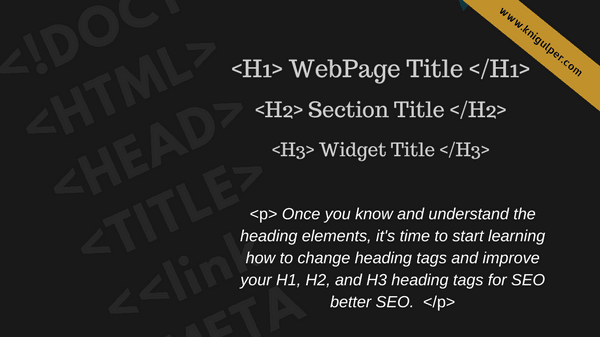
How to Optimize The H1, H2, and H3 Heading Tags In Blogger Templates - Each template has a different structure according to the template developer itself. Some are just showing the beauty while some are using the search engine optimization (SEO) techniques. Improving the heading tag structure will make the blogs SEO friendly and makes it easier for search engine bots to index the titles as well as the content of the webpages that we create for different purposes. Pay Attention: The Latest Version of Blogger Conditional Tags Before starting to improve the heading tags in your blog theme, let's understand the meaning of heading tags first. Here is the clear structure of heading tags H1, H2, and H3. What Are HTML Heading Tags? Heading tags are the HTML tags which humans and search engines use to scan the main keywords of a webpage. A heading (H1) tag is used in a post title while subheading tags can be used on a webpage to organize the content sections. Long blog posts are u...

10 Confirmed Factors to Increase Domain Authority

Image
Domain Authority as Google calls it, 'Online Business Authority,' is an essential factor for Google rankings. It is a clear indication from Google that they will be  ranking a site based on its authority of the page and social network engagement. So let's get started in understanding how Domain Authority can be increased with few tweaks and secrets. You can build high domain authority to a site or blog by following white hat and grey hat SEO techniques. What Is DA and Why It is Important In SEO Industry? The term Domain Authority is used to describe the trustworthiness of the information offered by websites. This means Google can determine the recognition of a site both the number of visits and time length spent browsing your web pages. The purpose of building the authority of your website should be apparent because the loyalty of your visitors is key to the  long-term success of your site. Authoritative websites provide the users with valuable information. Users tend...

How to Add Schema.org Markup to BlogSpot Blogs

Image
Here is a handy guide to help you optimize the technical data of your BlogSpot blogs. By adding the schema markup to your site, you are helping the search engines identify data on your blog. Great search engine optimization requires plenty of detailed work , and that is a foundation that you will need to achieve the goals. If you would like credit for your  creative work, then you have to describe your content to Google with more efficiently. You may have noticed that Google pulls your contents in search results @ 2%. Don't be panic this usually happens when you do not consider the schema.org markup as the primary source for your blog SEO. We just publish the blog post in a manner that Google never know what they are or how they relate to a user query. Check out: SEO Strategies to Rank Higher Your Blogs Is Schema.org a Ranking Factor? Schema.org markup is not a ranking factor, but it is the technique to influence on the site ranking and becoming increasingly important to ran...

How to Eliminate The Duplicate Contents In Blogger

Image
There is no doubt that Blogger is the Google's most popular and reliable product where people share their knowledge and interest to the world for free of any cost. At the same time, the major back draw in Blogger is that it creates the duplicate meta title and meta description which can be found in search console. This is a common problem which occurs due to some custom templates that you install to your Blogger blogs. Basically, Google indexes the three different URLs which points to the same content . The desktop version of URL .html redirects to mobile version URLs like  ?m=0 and ?m=1 and thus Google fails to decide which URL should it exactly index. As I earlier mentioned, duplicate meta title and meta description are very common in badly coded templates. Don't panic, here I will show you two different working ways by which you can eliminate the duplicate titles and description in Search Console. First, we will discuss Rel Canonical and later robots.txt file. Why Shou...

150+ Words Promised to Make a Catchy Headline

Image
Here is the long list of words that will put your blog headlines on fire. It doesn't matter how compelling is your article if you don't put these words in your post titles. I have mentioned all the terms such as powerful words, emotional words, motivational words, Traffic driven words and much more. Just select a word and write this in your headlines. You will see the improvements in your blog traffic. Contents [ hide ] Blog writing is the art that seeks your talent rather than your knowledge. Knowledge without art and talent is a car without wheels. There are many things which we need for traffic generation, but everything is useless if you don't write a compelling headline. A blog headline must be the unique and attention grabbing. Read the list  wholly and solly. Read Also:   How to Develop Influential Blog Post Titles Influential Words List These words influence a visitor in such a way that he/she cannot exit without clicking the headline. This is a best prac...

7 Fundamentals Behind SEO Strategy to Rank on Google

Image
By now you need to already know that any among the many blog post secrets could be a matter of the past in a flash. That's normal since the search engines are constantly changing and we need to fight this. Staying in the top of the blogging for ranks in Google game requires your constant attention. Today we'll find out some timeless secrets which will maintain your blog posts popular and high ranking for a long time to come. You cannot simply expect to put up a name loaded with the keywords you would like and expect it to be an associate of the blog post secrets society. Check out: 150 Killer Words Promised to Make a Catchy Headline 1. Map Your Contents Attempt to think that the visitors are real individuals wanting to read real content. Deliver this by first developing a powerful title that you as an individual will be enticed to click and read its content. The only real difference has they understood the secret of creating relationships with their readers. You need to not o...

Examples of Keyword Stuffing and its Harmful Effects on SEO

Image
If you are a blogger and wants to get organic traffic, you must read this post to the bottom of your heart because this post is most important for your successful blogging life. Most publishers are not aware of keyword stuffing and they just publish their articles as usual and the process goes on. That's the reason for their blogging failure. Once upon a time, I made this mistake and got penalized but later I changed the way of my keyword techniques and gradually got ranked in Google. So today, I am going to explain the Keyword stuffing with suitable examples and it's harmful effects. Read Also:   Revolutionary Battle for High Google Ranking What is Keyword Stuffing? Keyword stuffing is the process of repeating the same words/phrases again and again in all paragraphs with the intention  of getting high Google Ranking for the targeted search terms. On the other hand, keyword stuffing is the technique in which a writer/author attempts to explain the subject by using the similar ...

20 Untold Questions Need to Know For Strategic Articles

Image
20 Questions Need To Be Answered Before Writing a Blog Post - Writing an SEO friendly article is to pay attention to how a search engine see the content while you provide an interesting and informative content for your readers. Before you start writing your Search engine optimization favorable article, you need to answer few concerns mentioned in this post. Assuming you've done that already, the following are a few guidelines that ought to consider while creating your article. Title arranges your content by making an assurance to the reader, what produces that assurance is the body of your content. Before you scroll down, ask yourself these 21 questions and make sure you do everything right. Do you publish the unique and high-quality contents? Do you write the catchy post titles? Do you utilize the proper keywords? Do you write the unique post description? Do you write the posts related to your subject? Do you include an image in your post? Do you rename your blog post image...